
LTF Builder
Save your AI conversations as portable files. One click. No signup. No cloud.
PRODUCT PREVIEW
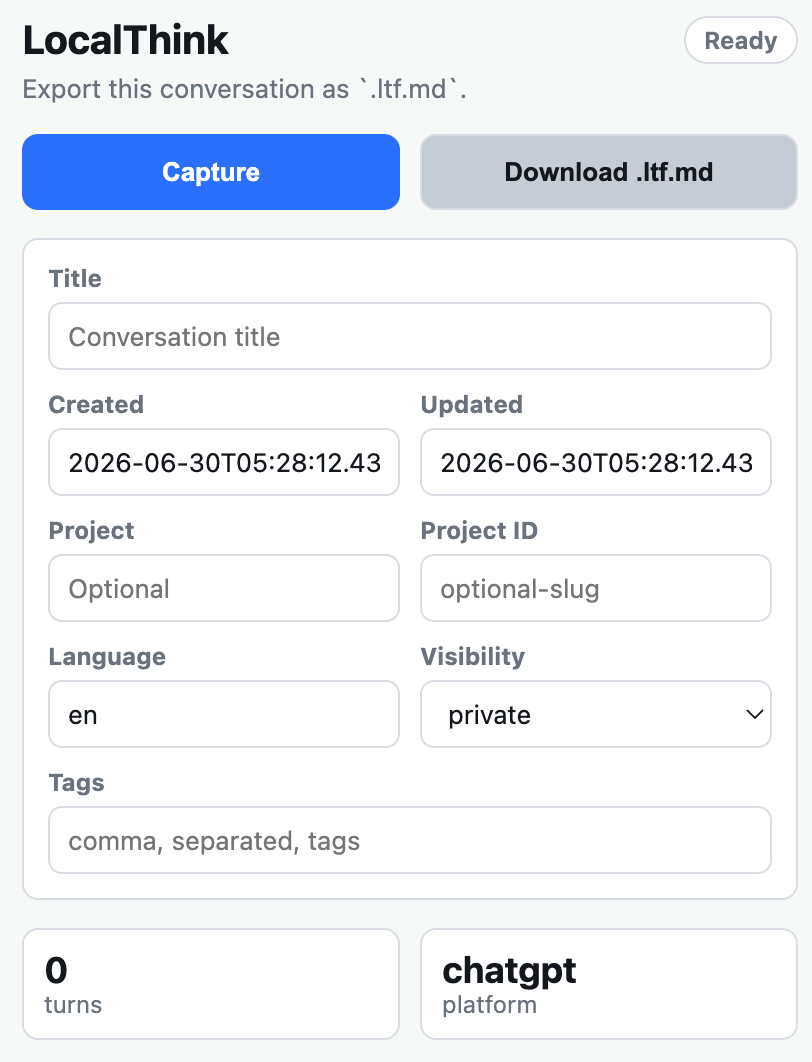
Click Capture, review the preview, edit metadata, and download.
INSTALLATION
Create LTF files in 30 seconds.
1
Install
Add LTF Builder from the Chrome Web Store.
2
Open a conversation
Open a ChatGPT, Claude, Gemini, or Grok conversation you want to save.
3
Export
Click Capture, review the preview, and download a `.ltf.md` file.
SUPPORTED PLATFORMS
Works where you chat.
Currently supports ChatGPT, Claude, Gemini, and Grok. Kimi is in development.
FEATURES
Built for fidelity.
One-click capture
Open a supported ChatGPT, Claude, Gemini, or Grok conversation, click LTF Builder, and export it as a clean `.ltf.md` file.
Faithful conversion
No AI generation, no hallucination. Code blocks, lists, tables, and links are preserved exactly as they appear.
Edit before export
Review and edit metadata such as title, project, tags, and visibility before downloading the file.
Export quality report
Every export includes a quality report: turn count, code blocks, and warnings for missing content.
Ready to own your conversations?
LTF Builder is free and open source under the MIT License. Start owning your AI conversations today.